Order Fulfillment
Mobile Order Fulfillment Software
Batch, pick, pack and ship every Shopify order from a tablet on the warehouse floor. One order fulfillment app from checkout to the label on the box, with no separate shipping software.
30 days free. No credit card required.
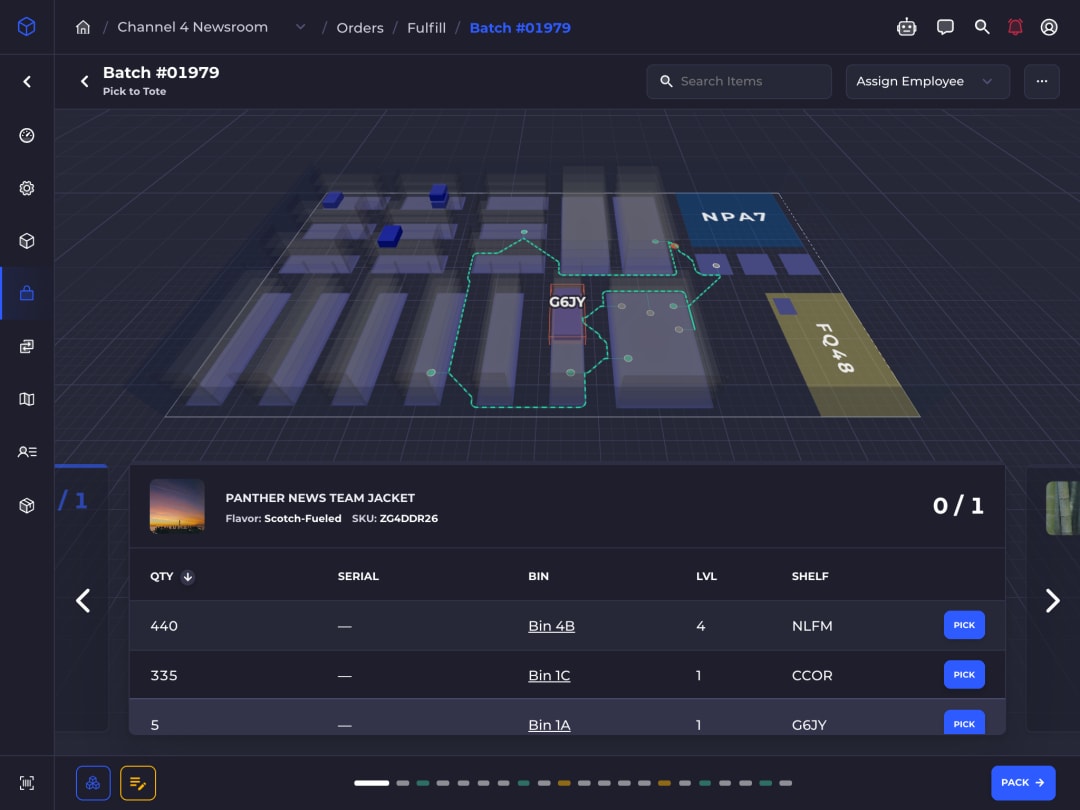
Over 780,000 shipping labels bought in SKUSavvy in the past year
How SKUSavvy fulfills an order
From Shopify Checkout to Out the Door
SKUSavvy is ecommerce order fulfillment software and a warehouse management system in one. Here is every step an order takes, and the problem each one removes.
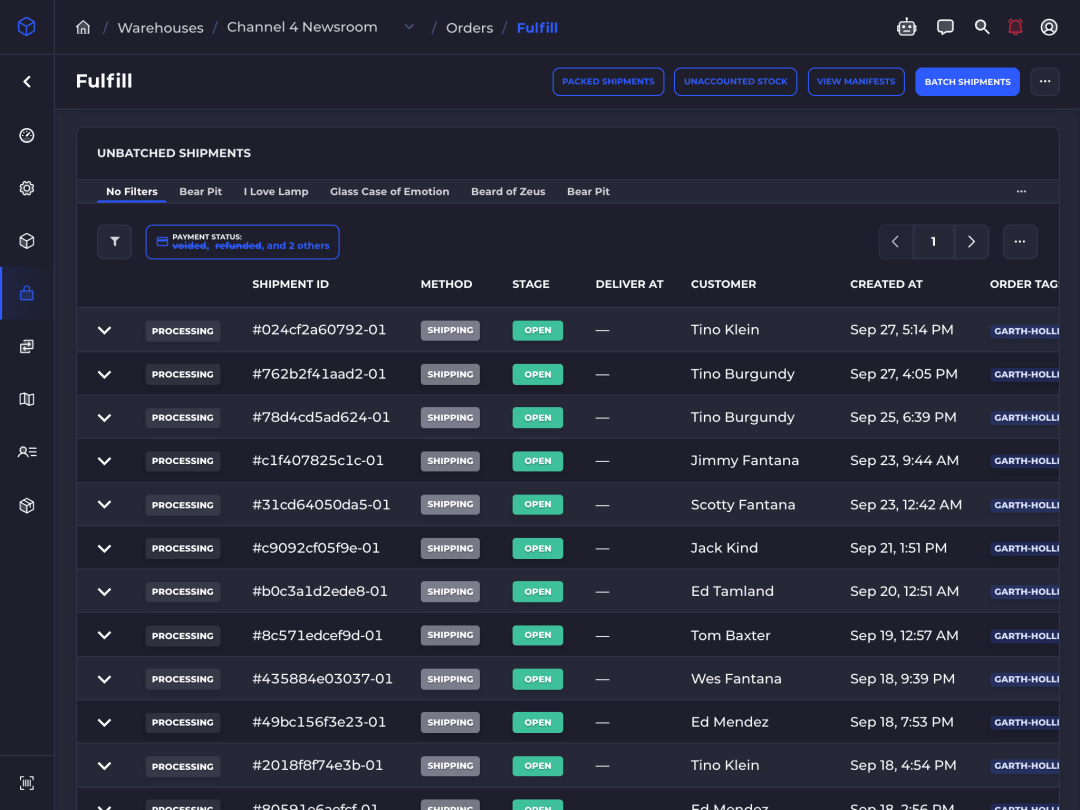
Order placed
Order Routing: Sent to the Warehouse With the Stock
The moment a customer checks out, the order is in SKUSavvy and assigned to a location that can ship it. An order no single warehouse can fill splits across several.
- Online Store, POS and Marketplace Connect orders from Amazon, Walmart, eBay and Etsy
- Follows your Shopify order routing rules
- Edit items and addresses before anything ships
- Local pickup orders in the same flow
Eliminates
Copying orders between systems and guessing which warehouse has stock.
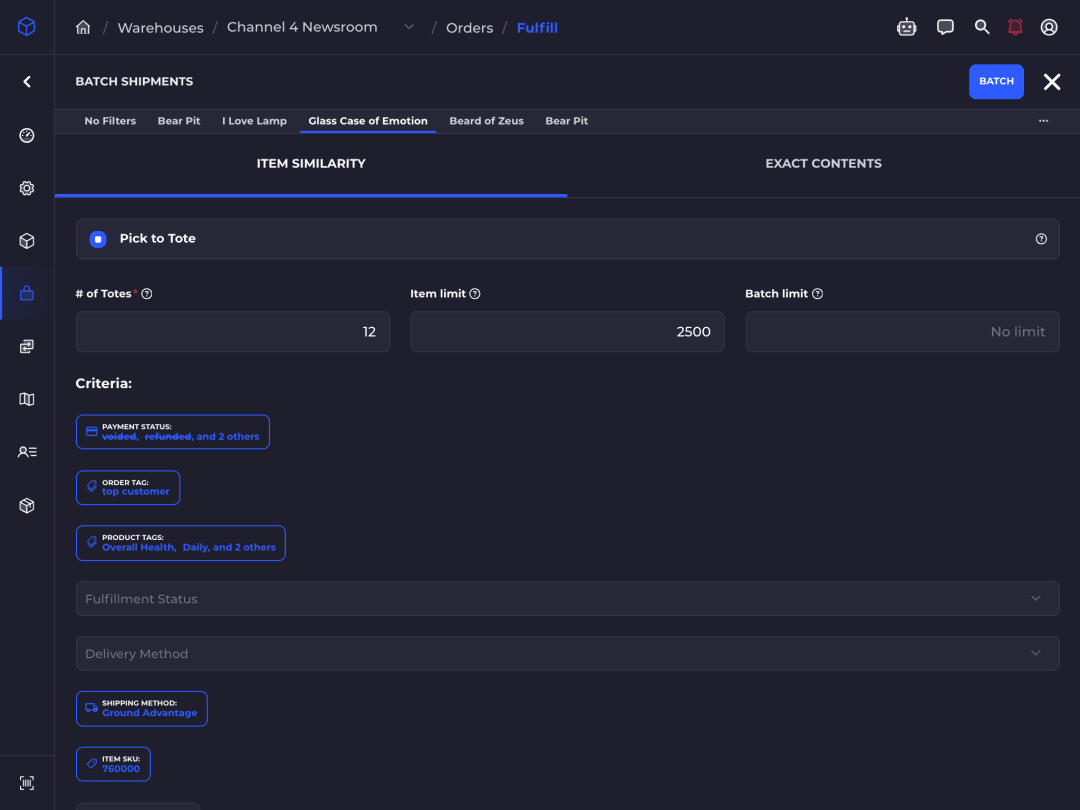
Batched
Batch Picking: One Walk Fills Many Orders
Set the rules once and SKUSavvy builds the batches. Orders that share items or ship the same way travel together.
- Filter by order and product tags, SKUs, shipping method and dates
- Group orders that share items, or hold exactly the same ones
- Item and shipment limits per batch
- Batches assigned to pickers automatically
Eliminates
Pickers walking the whole floor once per order.
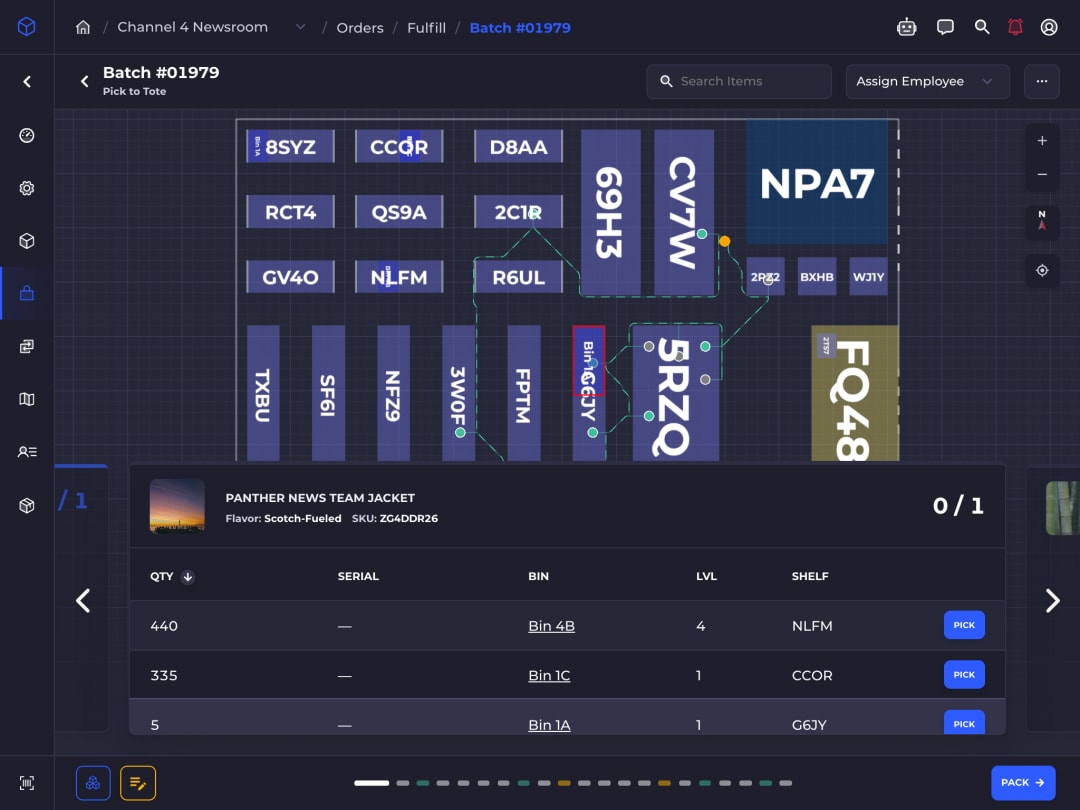
Picked
Pick Paths: The Shortest Route, Checked at the Shelf
Pickers follow a path drawn on a 3D map of your warehouse and scan to confirm each pick. With pick to tote, every item goes straight into its order's tote.
- Optimized pick paths through every bin in the batch
- Pick to tote for many orders in one trip
- Scan the bin, the item or both before a pick counts
- Earliest-expiring lot picked first
Eliminates
The wrong item being caught by the customer instead of at the shelf.
Box chosen
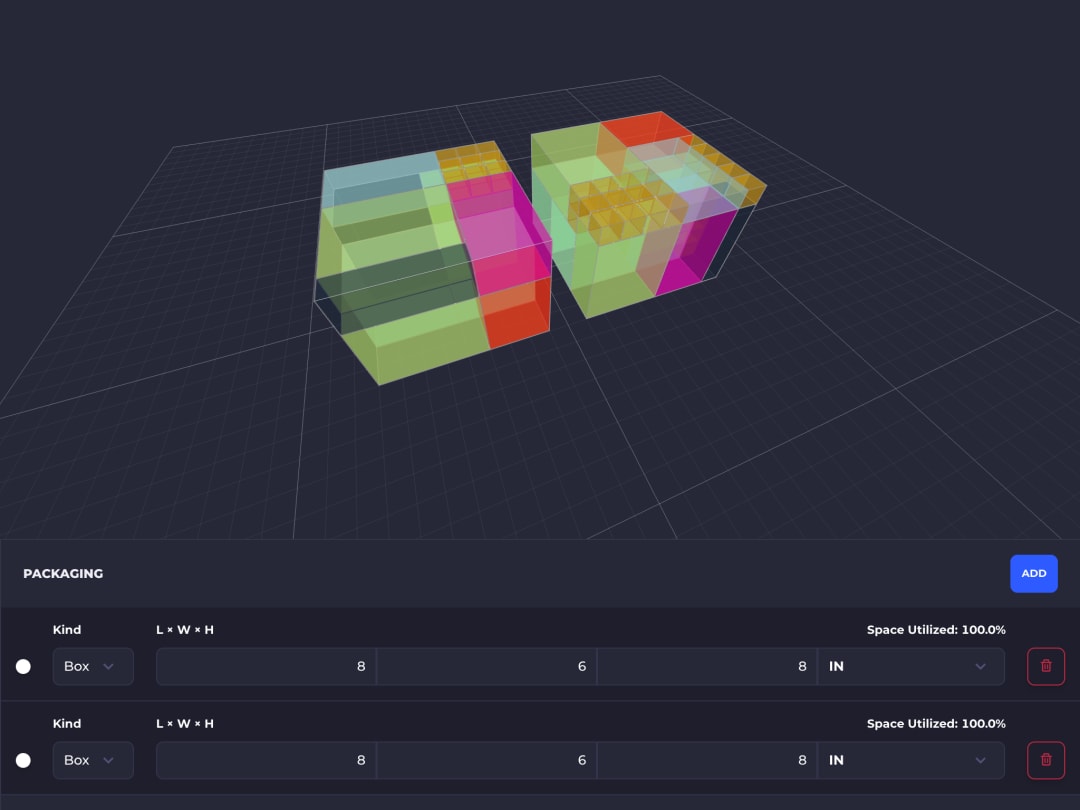
Box Suggestions: The Right Box, Packed Full
SKUSavvy works out in 3D how an order's items fit, and suggests the smallest box, mailer or tube that holds them.
- Fits worked out from each item's dimensions
- Boxes, mailers and tubes
- Remembers the box used for the same items
Eliminates
Oversized boxes and dimensional-weight surcharges.
Packed
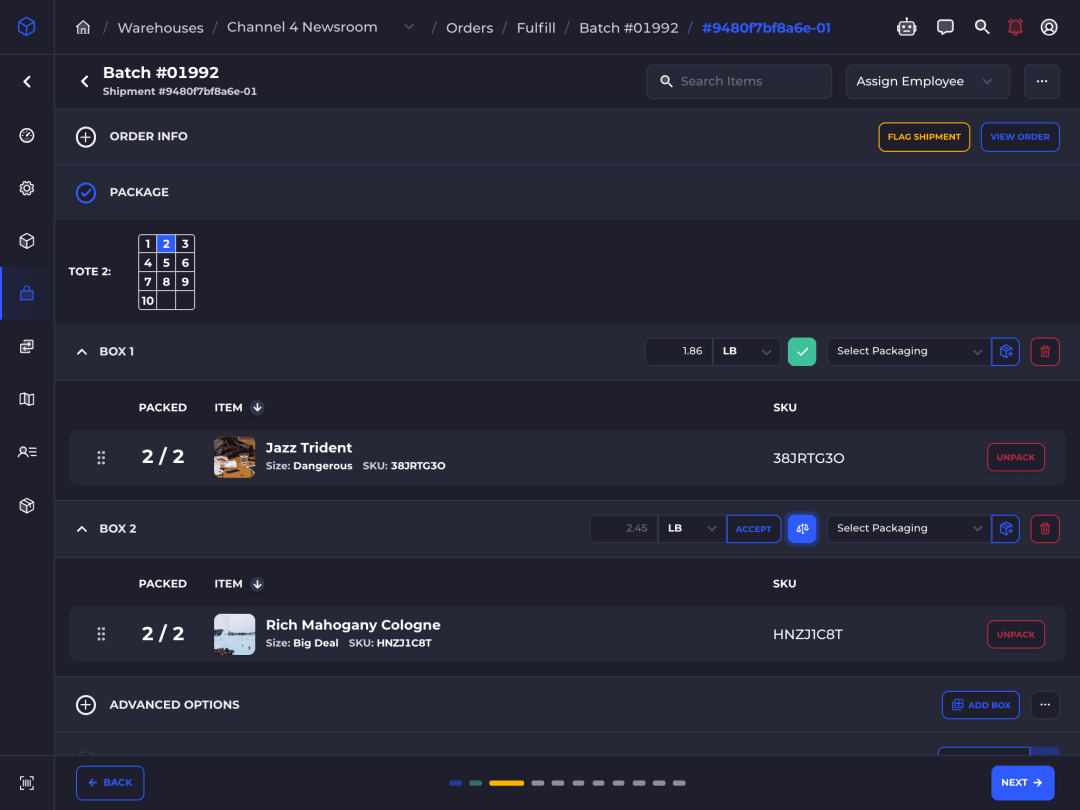
Packing: Scanned In, Weighed by the Scale
Staff scan each unit into its box and set the box on a USB scale at the pack station. The weight fills in by itself as the reading settles, box by box, and rates wait until every box is weighed.
- Weights capture themselves, no typing
- Each weight lands on the box being packed
- Rates wait for real weights, not guesses
- Serial numbers captured as units are packed
Eliminates
The wrong item or quantity in the box.
Rated
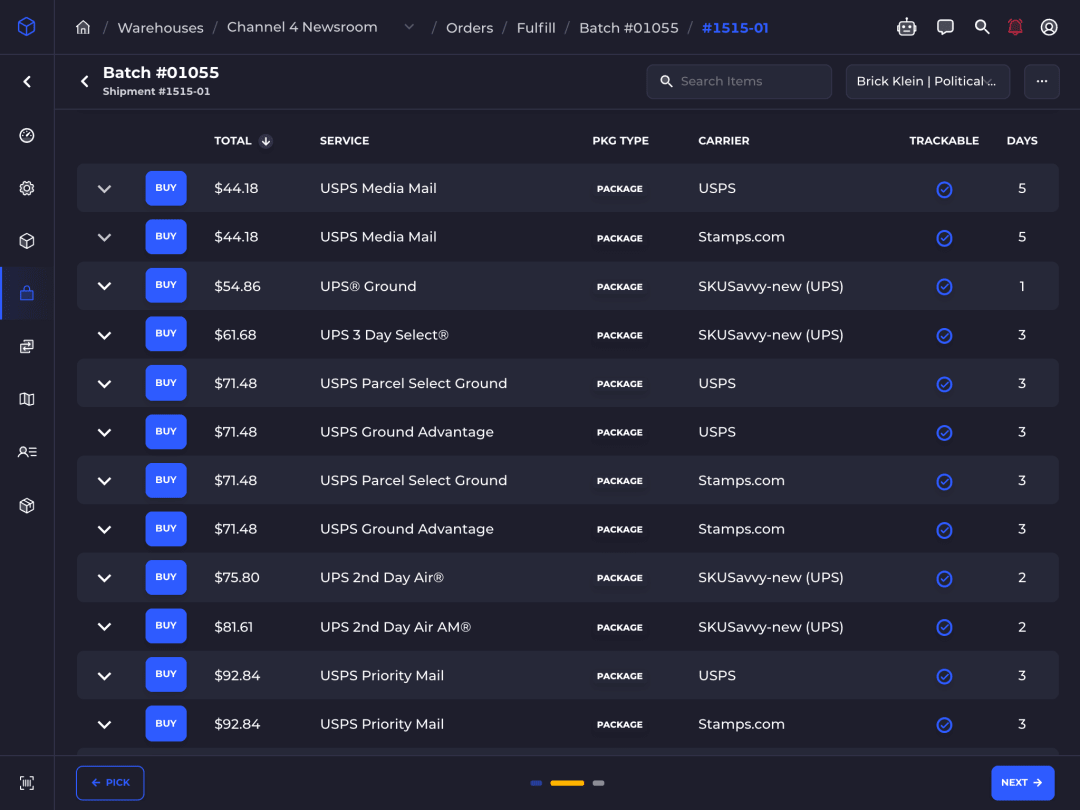
Rate Shopping: The Best Rate, Chosen by Your Rules
Rates from your own carrier accounts appear on the pack screen. AutoPilot picks the service by your rules and holds any label over your cost cap for review.
- UPS, FedEx, USPS, DHL and more on your accounts
- AutoPilot strategies with cost caps
- Customs forms, declared values and DDP terms
- Insurance, signature and address validation
Eliminates
Overpaying for labels, and paying for a separate shipping app.
Out the door
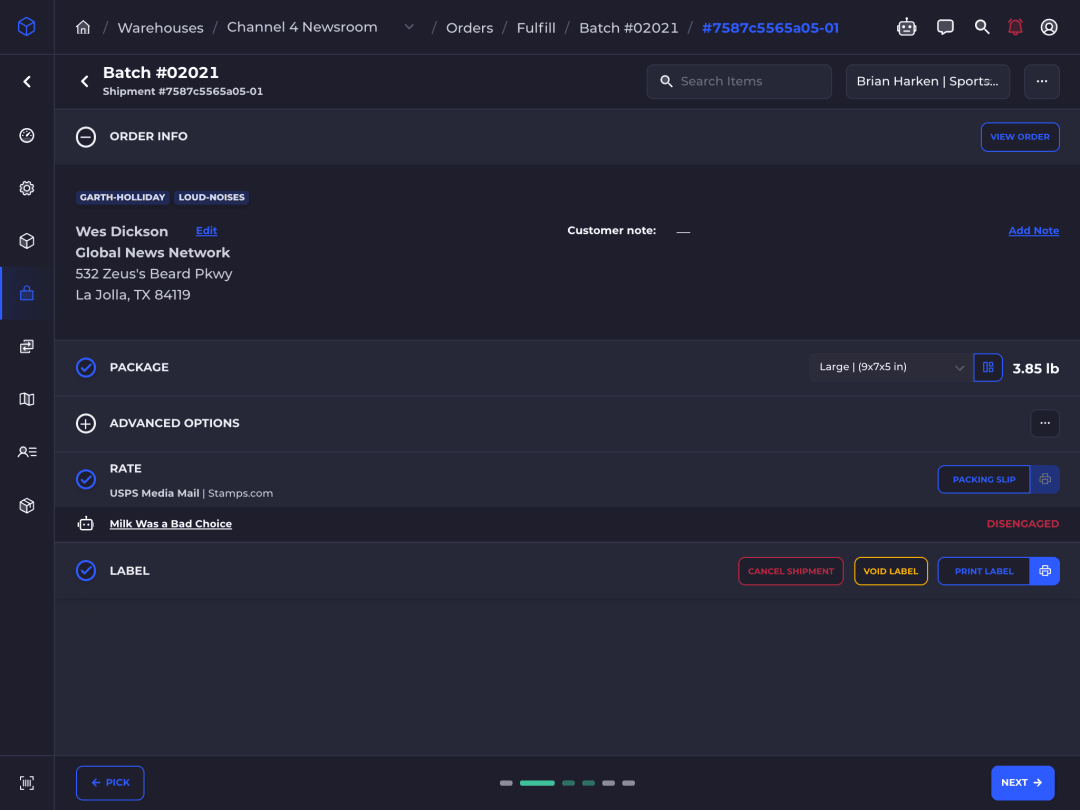
Label Printing: Shopify Updated as It Ships
The label and packing slip print from the tablet. Shopify marks the order fulfilled with tracking, and inventory is already right because every scan updated it.
- Prints to any printer, including AirPrint
- Labels can print the moment they are bought
- Tracking sent to Shopify, which notifies the customer
- Shipping manifests for carrier pickup
Eliminates
Paper pick lists, and stock counts that are only right after someone types them in.
And if it comes back
Return Labels: Bought on the Shopify Return
Returns requested in Shopify appear on the order in SKUSavvy. Buy a rate-shopped return label on your own carrier accounts, and Shopify sends it to the customer.
It has made my shipping a breeze! It’s so easy to navigate that my 7 year old likes to help. It saves us so much time and energy.
 Megan LaFranceBloom Towels
The kit
Runs on the Hardware You Already Own
No proprietary devices and no app store downloads. Open SKUSavvy in the browser and add it to the home screen.
Tablets
- Recommended
- iPad or Android tablet
- Also runs on
- Phones and desktops
- Install
- Add to home screen
Barcode Scanners
- Works with
- Any Bluetooth scanner
- Recommended
- Tera ring and gun
- Barcodes
- UPC, EAN, Code 128, QR, ITF-14
Scales
- Connects
- USB, in Chrome or Edge
- Captures
- As the reading settles
- Dimensioning
- Cubiscan
Printers
- Works with
- Any, incl. AirPrint
- Labels
- 4" × 6" and packing slips
- No dialog
- Kiosk printing in Chrome
Questions
Order Fulfillment Software FAQ
What is the best order fulfillment app for Shopify?
Look for an app that runs the whole flow, not just labels: order import, batch picking, scan-verified packing, rate shopping and inventory updates back to Shopify. SKUSavvy does all of it in one app built for Shopify and Shopify Plus.
Can I fulfill orders from a tablet?
Yes, and it is what we recommend. SKUSavvy runs in the browser on iPad and Android tablets and installs to the home screen. Staff pick, pack, buy labels and print from the device in their hand. Phones work too.
Do I need separate shipping software?
No. Connect your UPS, FedEx, USPS, DHL and other carrier accounts and compare rates at the pack station. AutoPilot can choose the rate for you by your rules.
Does it fulfill Amazon, Walmart and eBay orders?
Yes, when those orders come into Shopify through Shopify Marketplace Connect. SKUSavvy picks, packs and ships them like any other Shopify order.
What is the difference between an OMS, a WMS and order fulfillment software?
An OMS manages orders, a WMS manages where stock sits in the warehouse, and order fulfillment software turns orders into shipped boxes. SKUSavvy combines all three, so stock, orders and labels share one source of truth.
What hardware do I need?
A tablet is enough to start, using its camera to scan. Add Bluetooth scanners, any printer your device can print to, and a USB scale at a Chrome or Edge pack station as you grow.
Does it work with a shipping scale?
Yes. Connect a USB bench scale at the pack station, in Chrome or Edge on a computer. Box weights fill in as the reading settles, each on the box being packed, and rates wait until every box is weighed, so no label is bought on a guessed weight. Cubiscan dimensioners work too.
Is it a fit for a small business?
Yes. Start with one tablet and one warehouse, then add scanners, a scale and more locations as order volume grows. The same app handles a few orders a day or a few thousand.
Can I still print paper pick lists?
Yes, if your process needs them. Most teams switch to live mobile picking because every scan updates inventory as it happens.
Can I track picker and packer productivity?
Yes. See picked, packed, check-in and fulfilled counts for each employee over any date range.