Mobile WMS
Mobile Warehouse Management System
Receive, put away, pick, pack, ship and count from phones, tablets and handheld scanners. No desktops, no paper, and a live map of your warehouse on every screen.
30 days free. No credit card required.
Over 1,500 brands have signed up since 2021





What Is a Mobile Warehouse Management System?
A mobile warehouse management system (mobile WMS) runs warehouse work on phones, tablets and handheld scanners instead of desktop screens and paper. Each task happens where the stock is: your team scans the bin and the item, and inventory updates the moment they do.
Benefits of a Mobile WMS
- 01
Work Where the Stock Is
No walking back to a desk to look up a bin or close out a task. The next step is on the device in your hand.
- 02
Fewer Picking Errors
A scan confirms the right bin and the right item at every step, so mistakes are caught before an order ships.
- 03
Inventory That Is Always Current
Every scan updates stock in real time, across every device and every warehouse.
On the Floor
Every Warehouse Task on One Device

Inbound
Receiving and Put-Away
Check in purchase orders and transfers on the dock, then put stock away bin by bin.
Scan to Receive
Scan items against the purchase order as they come off the truck.
Directed Put-Away
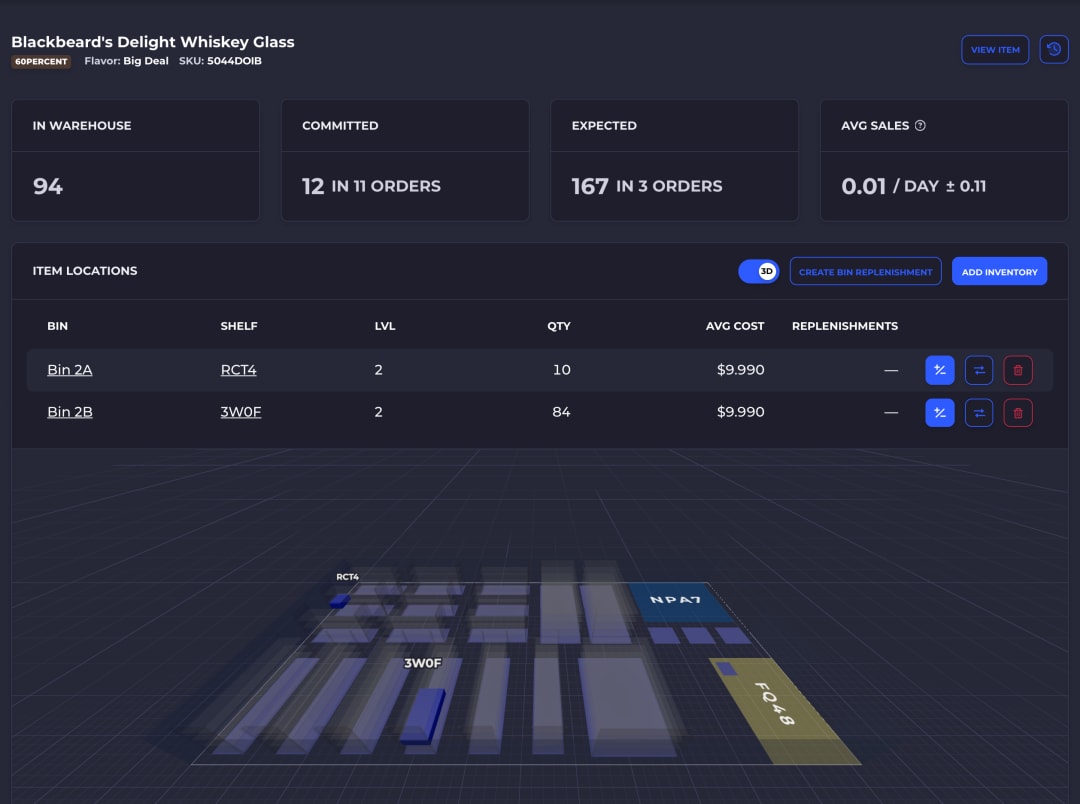
The device shows which bin each item goes to, on the warehouse map.
Lots and Expiration Dates
Record lot numbers and expiry dates as stock is received.
Transfers Between Sites
Workflows for both ends of a transfer between warehouses.

Picking
Mobile Picking
Pickers follow a route on the map and confirm every pick with a scan.
Batch Picking
Pick many orders in one trip, grouped by your own batching rules.
Optimized Pick Routes
The shortest path through the warehouse that covers the batch.
Scan-Verified Picks
Require a scan of the bin, the item or both before a pick counts.
Team Picking
Several pickers work one batch with no double picking.
Outbound
Packing and Shipping
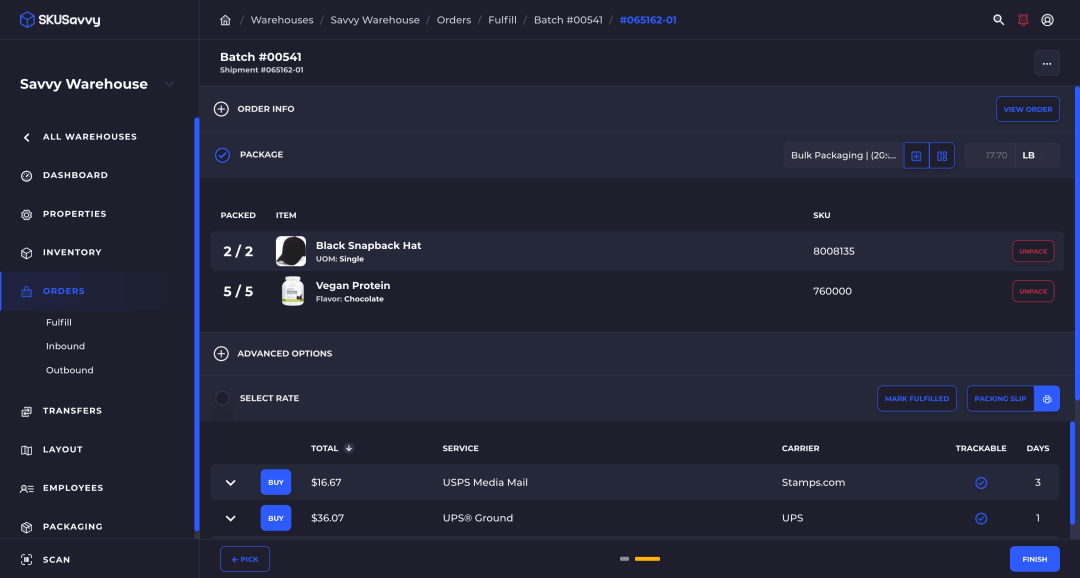
Pack, buy the label and print it from the same screen, at any station.
Scan to Pack
Scan each item into the box as a final check of what ships.
Suggested Box Sizes
The right box for each shipment, picked for you.
Rate Shopping
Compare rates across your connected carriers, sorted by cost and speed.
Automatic Printing
Labels and packing slips print as soon as the order is packed.

Inventory
Inventory Control and Cycle Counts
Count, move and replenish stock from the floor, with every change logged.
Cycle Counts
Assign counts by bin or product and complete them on any device.
Bin-to-Bin Moves
Move stock between bins with a scan.
Bin Replenishment
Rules move stock from overstock to pick bins before they run dry.
Inventory Logs
Every movement logged by action, employee and date.
Runs on the Devices You Already Have
SKUSavvy is a web app, so there is nothing to install on each device and every device stays on the latest version.
iPhone and Android Phones
Open SKUSavvy in the browser, or add it to the home screen like an app. The camera scans common barcodes, including UPC, EAN, Code 128 and QR.
Bluetooth Scanners
Pair ring and handheld scanners over Bluetooth HID, SPP or Low Energy for fast, hands-free scanning.
Tablets and Mobile Computers
Run it on tablets at packing stations and on Android handhelds on the floor, the same app on every screen.
Built for Growing Warehouse Teams
Direct-to-Consumer Brands
Run in-house fulfillment and inventory in one system that syncs with Shopify in real time.
Wholesale Distributors
Manage stock across several warehouses and fulfill large B2B orders from any of them.
3PLs
Fulfill orders for many clients, with client portals and billing from real warehouse activity.
Access Control
Give each employee a warehouse scope, then choose which actions they can take, from receiving stock to deleting a warehouse.
Multi-Warehouse
One account for every location, with one inventory view across all of them.
Security
All traffic runs through Cloudflare, with TLS encryption, DDoS mitigation, rate limiting and bot management.
Mobile WMS Questions
What warehouse teams ask before they move off paper and desktops.
What is a mobile WMS?
A mobile warehouse management system runs receiving, put-away, picking, packing, shipping and counting on phones, tablets and handheld scanners. Workers complete each task where the stock is, and every scan updates inventory in real time.
What are the benefits of a mobile warehouse management system?
Less walking back to a desk, fewer picking errors, and inventory that is always current.
- Scan-verified picks and put-aways
- No paper pick lists to print or lose
- Real-time stock across every device and location
Is SKUSavvy a warehouse management system app?
SKUSavvy is a web app. It runs in the browser on any phone, tablet or computer, and can be added to the home screen like a native app. There is nothing to install or update on each device.
Does SKUSavvy work on Android?
Yes. SKUSavvy runs on Android phones, tablets and handhelds, and on iPhone and iPad, in the browser. Barcodes scan with the device camera or a paired Bluetooth scanner.
Can I use handheld barcode scanners or mobile terminals?
Yes. Pair a Bluetooth ring or handheld scanner over HID, SPP or Bluetooth Low Energy, or scan with the camera on any phone or tablet.
How is a mobile WMS different from a desktop WMS?
A desktop WMS keeps the work at a computer: staff print pick lists, walk the floor, then come back to key in what they did. A mobile WMS puts each task on the device in their hand, so the record is updated the moment the work is done.
Can one mobile WMS run several warehouses?
Yes. One SKUSavvy account covers every warehouse and store location, with transfers between them and one inventory view across all of them.
Does SKUSavvy integrate with Shopify?
Yes. Orders, products and inventory are kept in sync with your Shopify store in real time.
Put Your Warehouse on Mobile
Map your warehouse and run your first scan-verified pick today. Your first 30 days are free.
Explore the Platform
The warehouse map and every order channel, on one inventory record.

