6 Best QuickBooks Warehouse Management Systems (WMS)
Alex
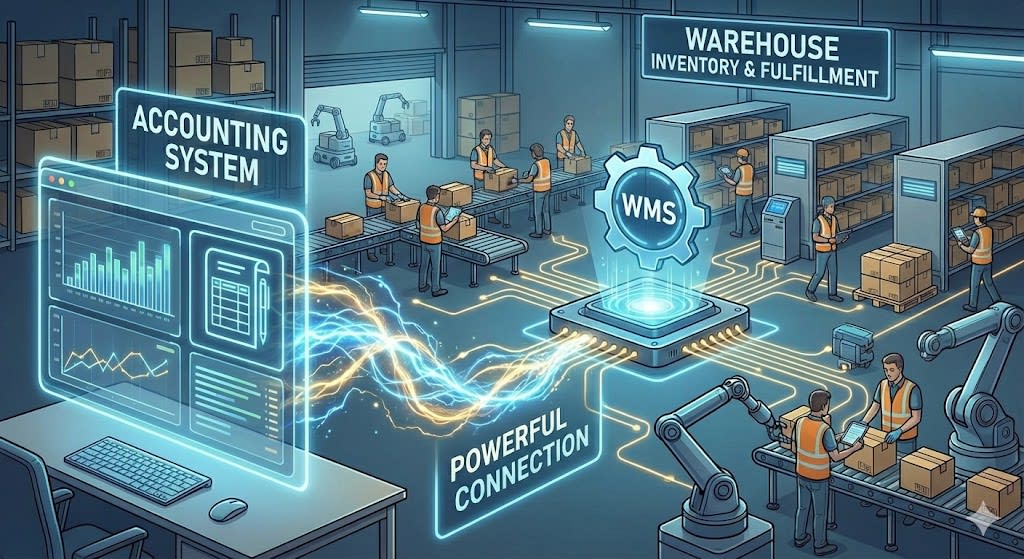
If you use QuickBooks for inventory management but need tighter physical stock control, this guide helps you find the right WMS to scale your warehouse operations. Learn the operational differences between a WMS and an IMS, understand when your warehouse needs a dedicated management system, and compare the top QuickBooks WMS integrations available.
What is a QuickBooks Warehouse Management System (WMS)?
A WMS serves as the central operational hub for your warehouse, coordinating purchasing, inventory control, order management, fulfillment, and cycle counting. Companies moving from spreadsheets or basic tracking to a WMS often gain enough efficiency to cover the software cost within two to four months.QuickBooks Inventory System
Inventory Management
Provides real-time visibility of all stock levels and locations
Tracks inventory by batch, lot number, serial number, and expiration dates
Manages stock status (e.g., available, on-hold, in-transit, damaged)
Prevents stockouts and overstocking by monitoring inventory turns
Inbound Logistics (Receiving & Put-away)
Verifies incoming shipments against purchase orders (POs)
Uses barcode or RFID scanning to accurately log new items
Provides system-directed put-away instructions for optimal storage
Handles cross-docking by immediately routing received goods to outbound shipments
Forecasting
Combines data from orders, lead times, and inventory levels to calculate replenishment needs
Improves forecast accuracy as order history grows
Reduces stockouts through automated reorder alerts
Order Management
Receives and consolidates orders from multiple channels (e.g., e-commerce, ERP)
Allocates available inventory to open orders
Organizes orders into prioritized waves or batches for efficient picking
Generates pick lists and packing slips for the warehouse floor
Outbound Logistics (Picking & Packing)
Directs workers on the most efficient path for picking items (path optimization)
Supports multiple picking methods (e.g., batch picking, zone picking, wave picking)
Uses scan-verification to ensure item and quantity accuracy
Guides the packing process, including box selection and material consolidation
Shipping & Fulfillment
Integrates with major shipping carriers (e.g., FedEx, UPS, USPS) to get rates
Generates compliant shipping labels, packing slips, and bills of lading (BOL)
Verifies order weight and dimensions before shipping
Updates the sales channel with tracking information upon shipment
Warehouse Layout & Slotting
Creates a digital map of the warehouse, including zones, aisles, racks, and bins
Manages the storage logic and capacity for each bin location
Slotting functionality analyzes sales velocity to place fast-moving items in easily accessible locations
Maximizes storage density and minimizes picker travel time
Labor Management
Directed and undirected work management
Permission-based access control to features
Assigns and tracks tasks for all warehouse employees
Monitors individual worker productivity (e.g., picks per hour, accuracy)
Identifies performance trends and bottlenecks in workflow
Helps forecast labor needs based on order volume
Reporting & Analytics
Provides dashboards for key performance indicators (KPIs)
Tracks metrics like order fill rate, inventory accuracy, and on-time shipment percentage
Creates detailed reports on inventory aging, stock valuation, and order history
Enables data-driven decisions for process improvement
Stock Control & Replenishment
Manages cycle counting schedules to verify inventory accuracy without a full shutdown
Facilitates inventory adjustments for shrinkage, damage, or found items
Automates replenishment tasks, moving stock from bulk storage to forward picking locations
Sets minimum/maximum levels and reorder points for products
QuickBooks Sync
Real-time sync between WMS and QuickBooks
Inventory, orders, purchases, vendors, products, landed costs
View synced data and manually override failed sync events
Ensure accurate costs, inventory, and purchases in both places
Why a WMS compared to IMS?
When QuickBooks users find their operations are too complex for accounting software, they need a Warehouse Management System (WMS) rather than a basic Inventory Management System (IMS).

QuickBooks functions as an IMS. It tracks financial totals, purchases, sales, and overall asset value. An IMS answers what you have and what it is worth (e.g., "You have 500 blue widgets"). A WMS controls physical execution, managing where items sit and how staff pick and pack them (e.g., "The 500 blue widgets are in bins A-1 and A-2. To fulfill order #1001, go to bin A-1, pick 10, and take them to packing station 3.")

A WMS is the operational engine for your warehouse floor, while QuickBooks handles financial records. The right QuickBooks WMS links physical workflows directly to your financial system.
WMS vs. IMS Comparison
| Feature | Inventory Management System | Warehouse Management System |
Main Goal | Financial & Quantity Tracking | Physical & Operational Control |
Core Question | "What do I have and what is it worth?" | "Where is it and what do I do with it?" |
Location | Tracks which warehouse (e.g., "Main Warehouse") | Tracks specific bin locations (e.g., "Aisle 01, Rack 02, Bin 03") |
Receiving | You manually add 100 units to your total stock | Guides staff on where to "put away" those 100 units for optimal storage |
Picking | You print a packing slip that lists items | Creates a digital "pick list" and directs a worker on the most efficient path to pick multiple orders |
Accuracy | Relies on periodic manual counts | Enforces real-time accuracy via barcode scanning for every action (receiving, moving, picking, shipping) |
Scope | Manages purchasing, reorder points, and sales | Manages labor, task efficiency, and the physical flow of goods |
Criteria for the best WMS for QuickBooks?
Choosing a WMS for QuickBooks requires evaluating both operational capabilities and integration depth. We evaluated leading platforms based on warehouse usability, feature completeness, and how reliably each system syncs data with QuickBooks as the accounting core.
These evaluation criteria stem from hands-on work with hundreds of growing brands along with extensive operational research. A strong WMS integration should improve fulfillment speed, eliminate inventory errors, and maintain reliable accounting records.
QuickBooks Integration
At the core of our evaluation is how effectively a WMS communicates with QuickBooks APIs to keep financial and physical inventory data aligned in real time:
QuickBooks is the source of truth for all financial data
(what you paid, what was charged, who you owe, who owes you)
The WMS is the source of truth for all physical data
(what you have, where it is, and what your team is doing)
Data Sync
WMS should update QuickBooks in near real-time
WMS should send vendors, purchase orders, landed costs, products, inventory, and possibly orders, taxes, and fees to QuickBooks at a minimum
Operations
| Workflow | WMS -> QuickBooks | QuickBooks -> WMS |
Purchases | Send PO | Can push orders to WMS |
Check-In | Received goods, creates bill in QuickBooks | Bill status |
Inventory | All changes in quantity | NA |
Orders | Orders and order updates | Can push orders to WMS |
Products | New products and product updates | NA |
QuickBooks WMS Functionality
Any warehouse management system paired with QuickBooks must deliver solid core logistics features. Here is a breakdown of standard versus advanced capabilities to look for in a QuickBooks WMS.
Basic QuickBooks WMS Functionality
Barcode scanning with multiple barcode formats
Barcode printing (should also include custom label builder for POs, pack slips, bin labels, invoices, etc.)
Bin creation (SKUSavvy provides 3D warehouse layouts for use here)
Labor management with staff permissions
Vendor management
Cost management including landed cost on POs
Purchase order creation
Purchase order check-in and allocation of stock
Inventory control between bins
Slotting of stock to bins with available space based on usage patterns
Inventory movement
Order management (ingest orders from channels, make edits, filter down)
Order batching for efficient order picking
Order picking with efficient routing to inventory
Order packing with optional pick to tote
Shipping label rate shopping and printing
Cycle count stock
Logs of every inventory movement
Advanced QuickBooks WMS Functionality
Lot tracking and expiration dates
Serialization
RFID scanning
Integration with warehouse automation systems
Advanced landed cost calculation
Bin replenishment automation
Advanced forecasting tools
Kitting and kit assembly
Advanced reporting
Returns management authorization (RMA)
3PL Billing
Sales payments and PO billing
WMS Connection Pricing
Pricing for QuickBooks integrations varies by platform. Some WMS solutions include native QuickBooks sync in their base pricing, while others charge separate fees for third-party connectors or app store integrations.
Pricing Strategies for QuickBooks WMS
QuickBooks connector fee
Built into the WMS price
QuickBooks app store fee
The best WMS for QuickBooks
Here is a comparison of the top WMS platforms that integrate with QuickBooks, along with their key strengths, weaknesses, and ideal use cases.
SKUSavvy

Delivers deep warehouse functionality, a direct real-time QuickBooks connection, and visual 3D warehouse management at a competitive price.
Fishbowl

A desktop-focused inventory and manufacturing solution built for QuickBooks Enterprise and Premier users.
Katana

A visual manufacturing ERP with strong shop-floor planning and a native QuickBooks Online sync.
SOS Inventory

A dedicated QuickBooks Online add-on with tight financial synchronization, though its interface and feature set are dated.
Extensiv

Offers extensive omnichannel order routing and 3PL capabilities, though setup complexity and sync friction can add overhead.
Linnworks

Offers strong barcode pick validation and multi-channel listings, but relies on third-party tools for QuickBooks sync.
SKUSavvy combines modern visual WMS features with direct Shopify and QuickBooks synchronization. By pairing SKUSavvy with QuickBooks, high-volume merchants get ERP-level operational control, effectively replacing legacy systems like NetSuite or SAP at a fraction of the cost.
QuickBooks Integration
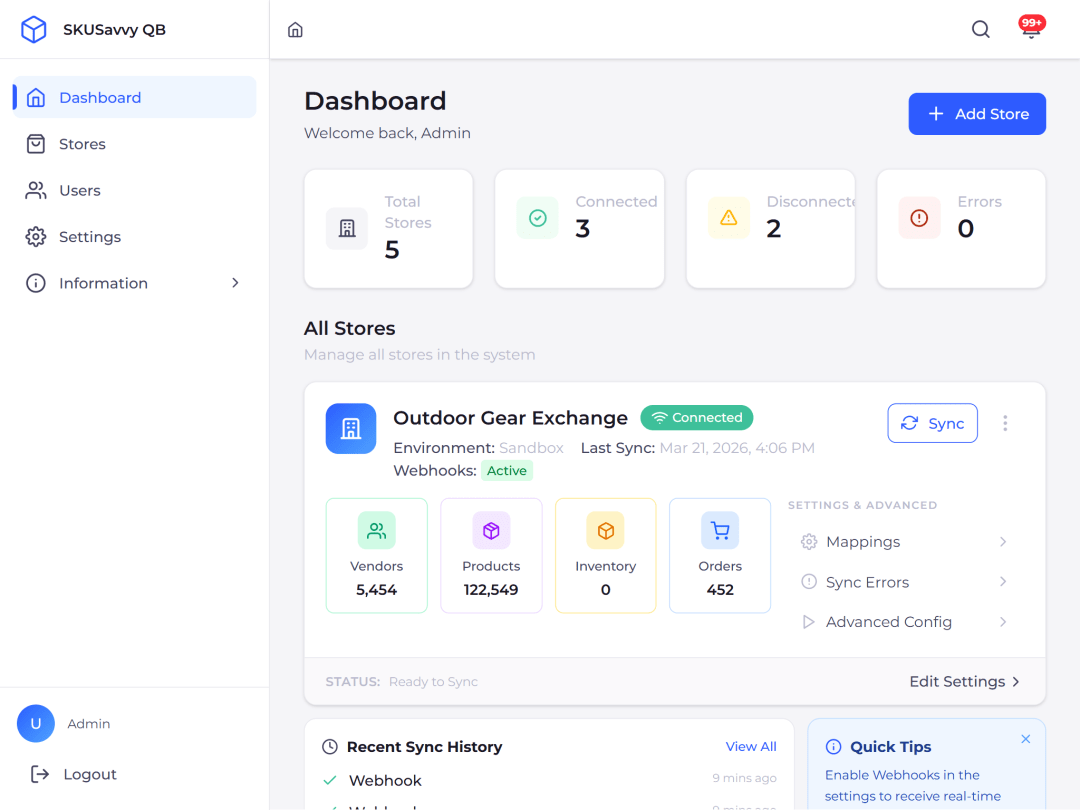
SKUSavvy includes a native, no-extra-cost QuickBooks sync for orders, customers, vendors, purchase orders, inventory levels, and product catalogs. You gain complete visibility over every sync event directly within the WMS.
Strengths
Full circle functionality with everything you need to operate the warehouse with
Cost competitive with perfectly scalable pricing based on order volume
3D virtual warehouse map is both functional and innovative
QuickBooks connection is native and provides a full view of all data being synced
Real-time data sync between both QuickBooks and Shopify
The best WMS for Shopify
Fully mobile design means your team can operate anywhere on any device
Weaknesses
Does not have full manufacturing scheduling and BOM handling
Primarily works with Shopify stores and channels that connect directly through Shopify
High volume merchant focus
Fishbowl is designed for QuickBooks Desktop users who have outgrown native inventory features. It is an inventory and manufacturing system that sits locally on your server or hosted cloud, handling manufacturing BOMs, work orders, and warehouse operations.
QuickBooks Integration
Fishbowl was built specifically to integrate with QuickBooks Desktop (Enterprise, Premier, Pro). It acts as a sub-ledger: you do all your logistics in Fishbowl, and it posts financial journal entries to QuickBooks to keep the General Ledger updated.
Strengths
Granular Manufacturing: Excellent handling of Bills of Materials, production stages, and labor costing
Deep QuickBooks Desktop Integration: A direct, thorough sync for QuickBooks Desktop users; handles complex journal entries automatically
Scalability: Can handle massive SKU counts and complex multi-warehouse setups
Weaknesses
Interface: The desktop version interface feels dated compared to modern cloud apps
Steep Learning Curve: Requires significant implementation time and training to set up correctly (>6 months)
Server Dependency: The core product requires a local server environment or hosting maintenance
Katana is a visual manufacturing ERP built for manufacturers and brands that produce their own goods. Its interface uses a color-coded system to show material availability instantly so teams can track production readiness.
QuickBooks Integration
Katana features a native integration with QuickBooks Online. It syncs invoices and purchase orders directly, updating Cost of Goods Sold (COGS) and inventory asset value when manufacturing orders are completed. Note: It has limited or non-existent sales sync and might currently be limited on syncing vendors and products.
Strengths
Visual Planning: The "Smart Workshop" dashboard allows you to prioritize orders and see real-time material reallocation
Modern UI: User-friendly interface that is easy to adopt on the shop floor
QuickBooks Sync: Direct integration for pushing invoices and bills to QuickBooks Online
Weaknesses
WMS Limitations: Focused on MRP (Manufacturing) first; its bin tracking and picking capabilities are lighter and less comprehensive than dedicated WMS platforms
Cost: Monthly fees increase quickly as order volume and team size grow
SOS Inventory was built specifically for QuickBooks Online users who need expanded stock tracking. It handles serial numbers, lot tracking, and basic assemblies while keeping financial records synchronized in QuickBooks.
QuickBooks Integration
SOS Inventory offers tight native integration with QuickBooks Online, syncing customers, vendors, items, and transactions bidirectionally to expand QuickBooks inventory tracking.
Strengths
Integration: Direct sync with QuickBooks Online for transactions and items
Cost-Effective: Affordable tier options for small businesses
Versatility: Handles retail goods and light manufacturing assemblies
Weaknesses
UI/UX: Legacy interface with utilitarian design
Mobile Operations: Lacks native mobile WMS interfaces for handheld devices
Performance: Processing delays can occur during heavy transaction spikes
Extensiv serves 3PL warehouses and multi-channel brands selling across platforms like Amazon, Shopify, and Walmart. It provides order routing and warehouse management tools for high-volume logistics operations.
QuickBooks Integration
Extensiv connects to QuickBooks Online and Desktop through its Integration Manager middleware. While functional, managing transactions through a middleware layer can add configuration overhead.
Strengths
Omnichannel Power: Strong multichannel order management for brands selling across 10+ marketplaces
3PL Capability: Built specifically for third-party logistics providers managing multiple client accounts
Automation: "Orderbots" can automate complex routing logic to direct orders based on customer location and warehouse stock levels
Weaknesses
Complexity: Formed from the merger of 3PL Central, Skubana, Scout, and CartRover, this complex ecosystem requires onboarding assistance and dedicated setup
Pricing: Enterprise-level pricing structure carries high monthly commitments
Shopify Sync: Users running Shopify alongside QuickBooks have reported issues with data sync reliability
Indirect Sync: Relies on an external integration layer rather than a direct native connection
Linnworks is a cloud platform focused on multi-channel order management and inventory sync across online marketplaces. It helps brands prevent overselling by unifying product stock quantities.
QuickBooks Integration
Linnworks lacks a direct native integration with QuickBooks Online built by Linnworks. Connecting financials typically requires a third-party integration provider like DBSync.
Strengths
Quality Control: Scan-verification workflows help minimize fulfillment errors
eCommerce Focus: Strong inventory sync connections with Amazon, eBay, and global marketplaces
User Tracking: Detailed logs report worker performance across warehouse tasks
Weaknesses
Accounting Connection: Requires paid third-party middleware to transfer financial records to QuickBooks
Financial Reporting: Lacks built-in accounting reporting tools
Easiest Way to Start?
Connect SKUSavvy to QuickBooks in minutes to sync your inventory, purchase orders, and fulfillment data seamlessly.Start Now