Lot tracking
Lot and expiration date tracking for Shopify
Record a lot and its expiration date when stock arrives. See what expires next in every bin, ship the right dates to the right orders, and keep an audit trail of every unit your team moves.
Free 30-day trial, no credit card required.
The gap
Shopify counts units. It can't tell you which ones expire first.
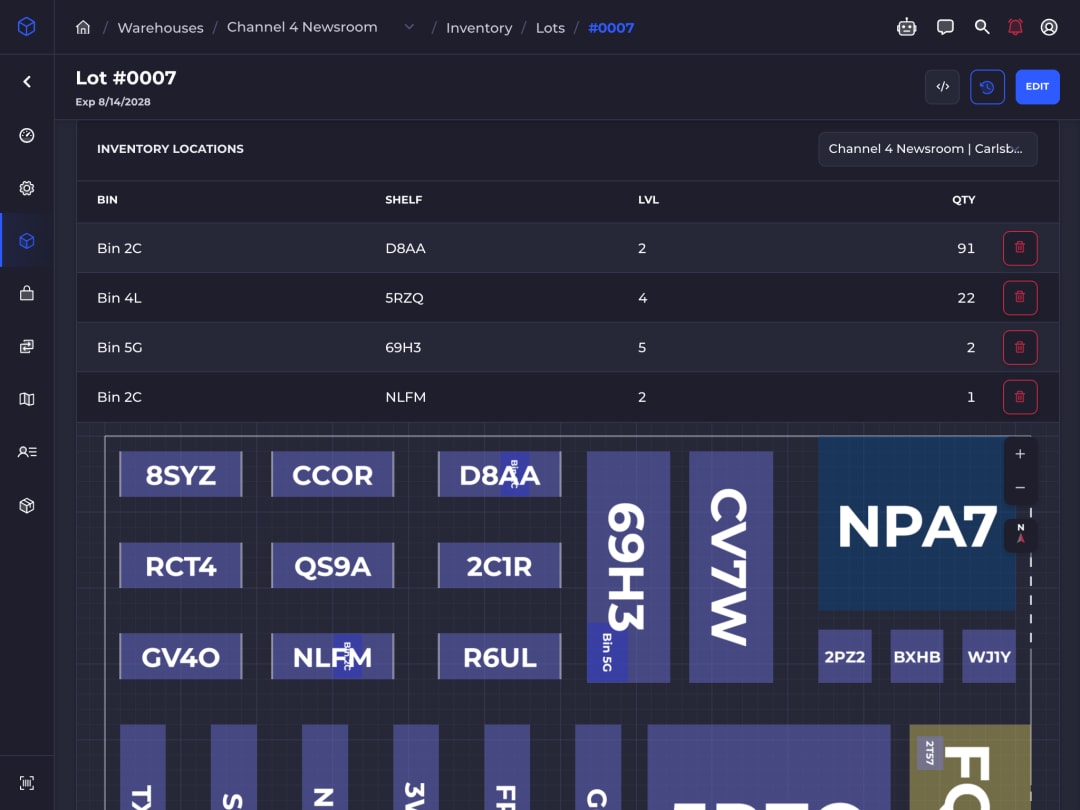
Shopify keeps one number per item per location. Food, supplements, cosmetics and medical supplies need more: which batch sits on which shelf, when it expires, and who bought it.
SKUSavvy keeps that record for every unit in your warehouse, from the dock to the packing station, and keeps Shopify's counts in sync.
How it works
From the dock to the packing slip.
From the purchase order to the shipment, here is the path one batch takes through SKUSavvy.
1. Receive it with a lot
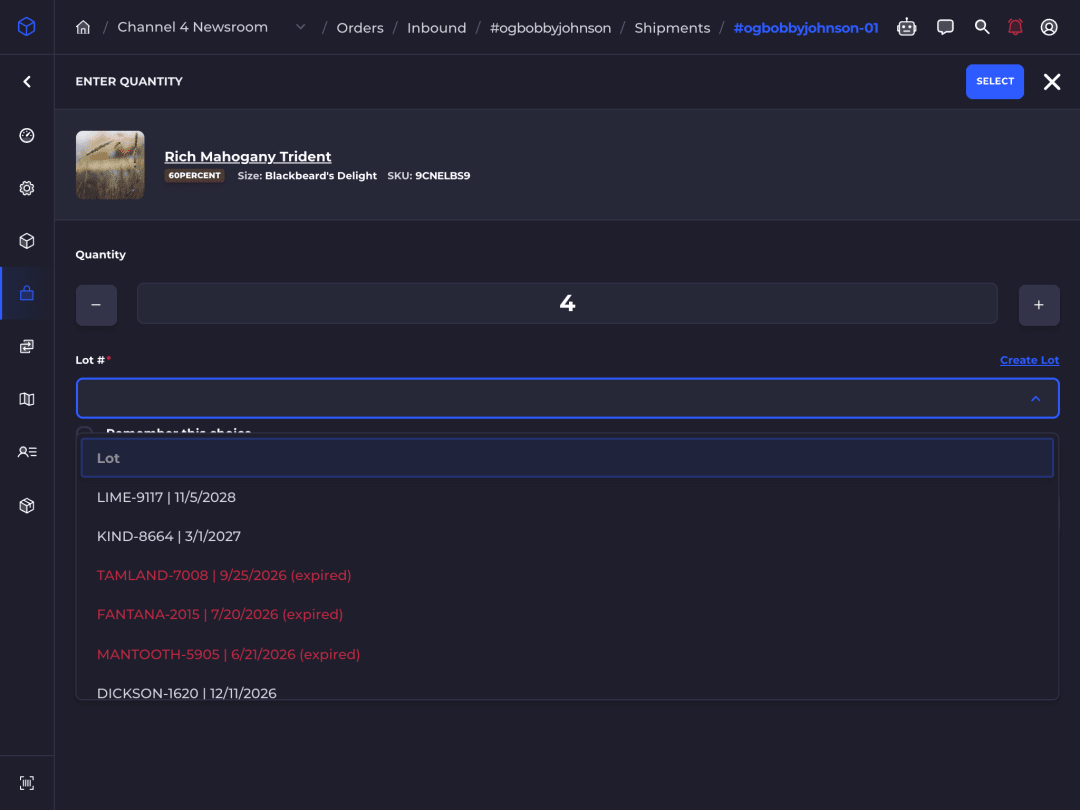
Checking in a PO asks for a lot on every perishable item. Pick an existing one, or create it with its expiration date.
2. See what expires next
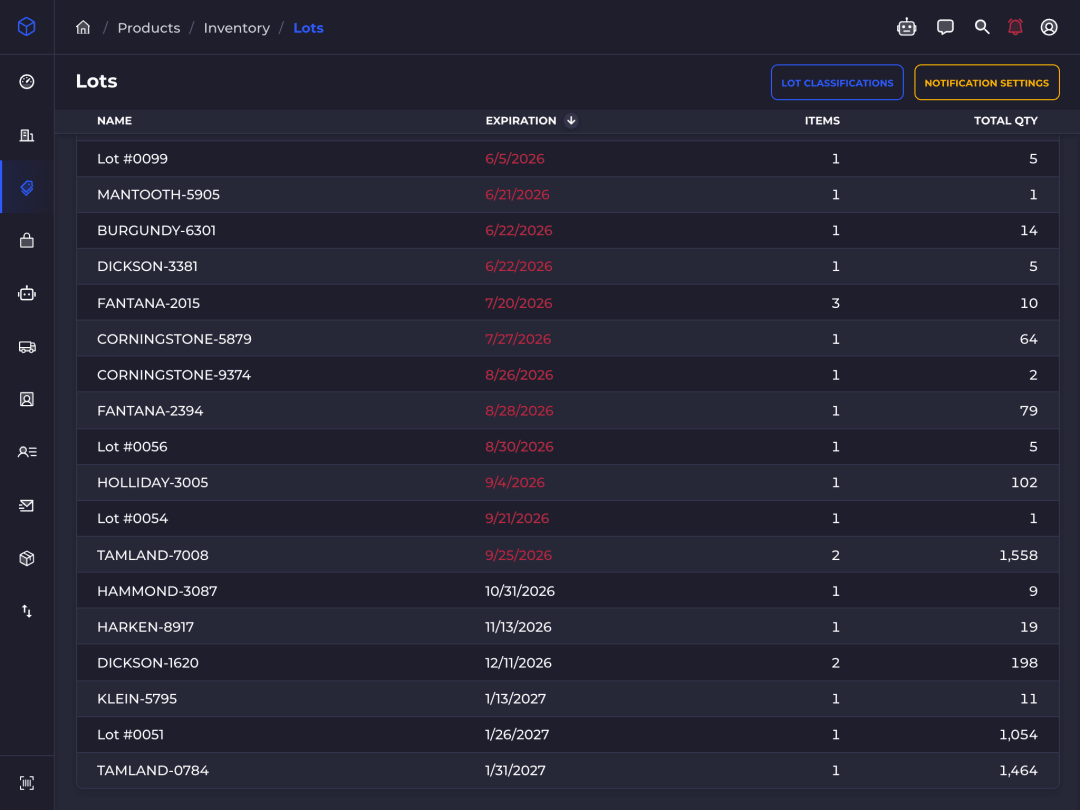
Every lot by expiration date, across warehouses. Expired lots show in red, and lots expiring within a week in amber.
3. Send the right dates out
Tag an order, and its picks come from lots in the date range you set for that tag: short-dated stock to clearance, long-dated to wholesale.
4. Clear what expired
An expired batch is flagged on its page, with every bin it is in. Removing the stock records the reason as Lot expired.
In the warehouse
One entry. Full traceability.
- 01
Lots on every receipt
Lots come in with every PO check-in, PO spreadsheet import and inventory import, each with its expiration date.
- 02
Soonest-expiring first
When it picks a bin, SKUSavvy can favor the lot that expires first (FEFO) or last, alongside walking distance.
- 03
Expiry alerts
Each person sets how far ahead to hear about expiring lots, by warehouse. Alerts come in the app and by webhook.
- 04
One lot per bin
An optional rule keeps two lots of one item out of the same bin. With it off, pickers choose the lot in a mixed bin.
- 05
Lots on labels and slips
Print the lot and expiration date on check-in labels, and list them on packing slips.
- 06
Your own lot fields
Add your own fields, such as the supplier's batch code or a test result, and count stock batch by batch in cycle counts.
Audit trail
Every move, on the record.
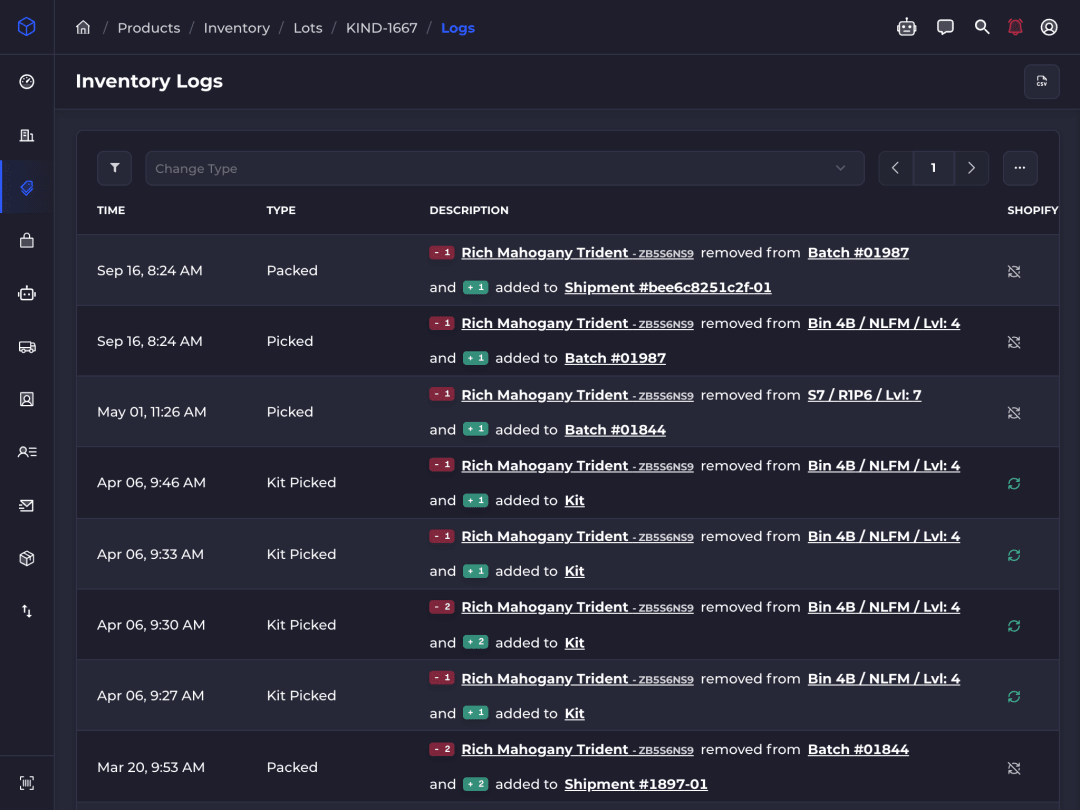
Each receipt, move, pick, pack and adjustment is logged with who made it, when, and the bin, order or shipment it touched. Your team can add a note to an entry but can't edit or delete one: an undo goes in as a new entry that points to the one it reverses.
When a recall comes, export the history for an auditor or supplier, and the Packed Lots export lists every order a lot shipped on, with the customer and ship-to address.
Who it's for
For anything with a batch number and a shelf life.
Food and beverage
Ingredients and packaged goods, with best-by dates to rotate.
Vitamins and supplements
Batches with potency dates, and lots a supplier may recall.
Cosmetics and skincare
Formulas with a shelf life once they leave the factory.
Medical supplies
Wound care and medical supplies tracked by lot and expiry.
Pet food
Food and treats, with the same lot rules as people food.
Chemicals
Chemicals and cleaning products that degrade over time.
Questions
Lot tracking, answered.
What is lot tracking?
Lot tracking records which production batch, or lot, each unit came from, so you can find, sell or pull a batch as one. In a warehouse, it means every bin knows the lots it holds and every shipment knows the lot it shipped.
Is a lot number the same as an expiration date?
No. A lot number names the batch a product was made in, and the expiration date is when that batch stops being good to sell. Makers often print them side by side. In SKUSavvy every lot has both, and two lots with the same number but different dates stay separate.
What's the difference between FIFO and FEFO?
FIFO (first in, first out) ships the stock you received first. FEFO (first expired, first out) ships the stock that expires first, which matters more for perishables. SKUSavvy's lot order setting favors the earliest expiration when it picks a bin, weighed against how far the picker walks.
How do I handle a recall?
Open the lot to see every bin it is in, and remove the stock with a reason. Then export Packed Lots for the dates in question: it lists each order the lot shipped on, with the customer and ship-to address. The lot's history shows every move it made in between.
Do I need to track lots on every product?
No. Turn on lot and expiration tracking, then mark the items that need it as perishable. Only those items ask for a lot at check-in, in bins and in counts.
Can I import the lots I already have?
Yes. The inventory import takes a lot name and expiration date on each row, and the PO spreadsheet import takes them on each line, so you can bring in the lots already on your shelves.
Can anyone change a lot's history?
No one on your team can edit or delete a history entry. They can add a note to one, and an undo goes in as a new entry that points to the one it reverses, so the history shows both.
Do lot numbers sync to Shopify?
No. Shopify gets the quantities, as it does for every item. Lots and expiration dates stay in SKUSavvy, where your team receives, picks and packs them.
Know every batch, and when it expires.
Start a 30-day free trial and receive your first lot today.